Operational workflow from order to delivery
RutaLive connects Client, Operator, and Courier workspaces in one process: order creation, dispatch, live execution, POD, and reporting.
Full control in one workspace
Dispatch, visibility, and delivery quality — all in the operator panel.
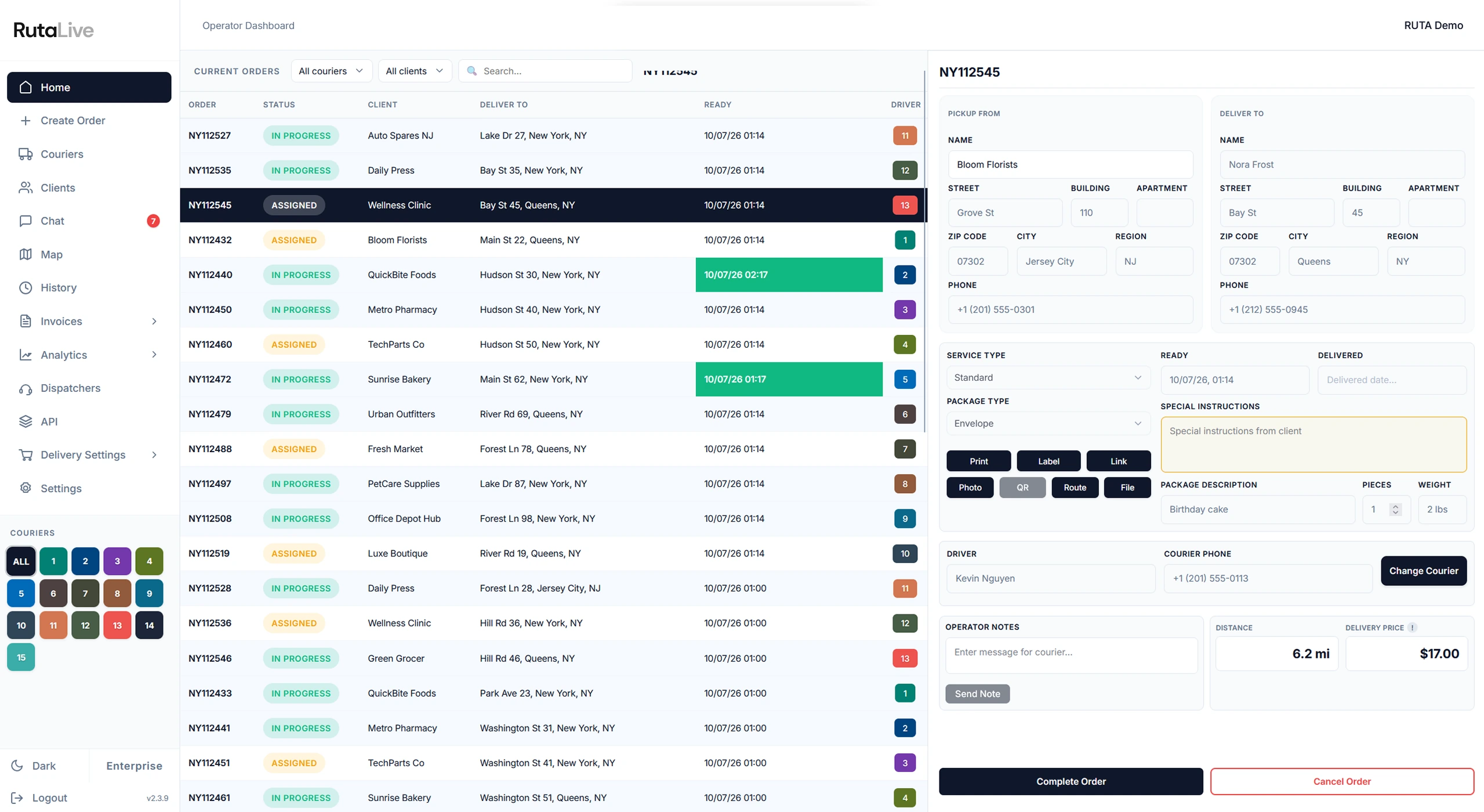

Every active order in one place — live status, filter by courier or client, and ready times at a glance.
Try demo
Open any order for the full card — then Route, Label, QR, Photo POD, or a tracking link in one tap.
Try demo
Assign a courier, auto-calculate distance and delivery price, then complete the order — all from one panel.
Try demo- 1Live order queue
Every active order in one place — live status, filter by courier or client, and ready times at a glance.
- 2One card, every action
Open any order for the full card — then Route, Label, QR, Photo POD, or a tracking link in one tap.
- 3Assign, price & close
Assign a courier, auto-calculate distance and delivery price, then complete the order — all from one panel.
Track every active order, courier status, and timeline in real time.
Assign and reassign deliveries quickly based on workload and priority.
Review POD, route history, and SLA signals before closing operations.
Watch your whole fleet move in real time
Every courier on one map, with their active route drawn out. See who is online, who is idle, and where each delivery actually is — without calling anyone.
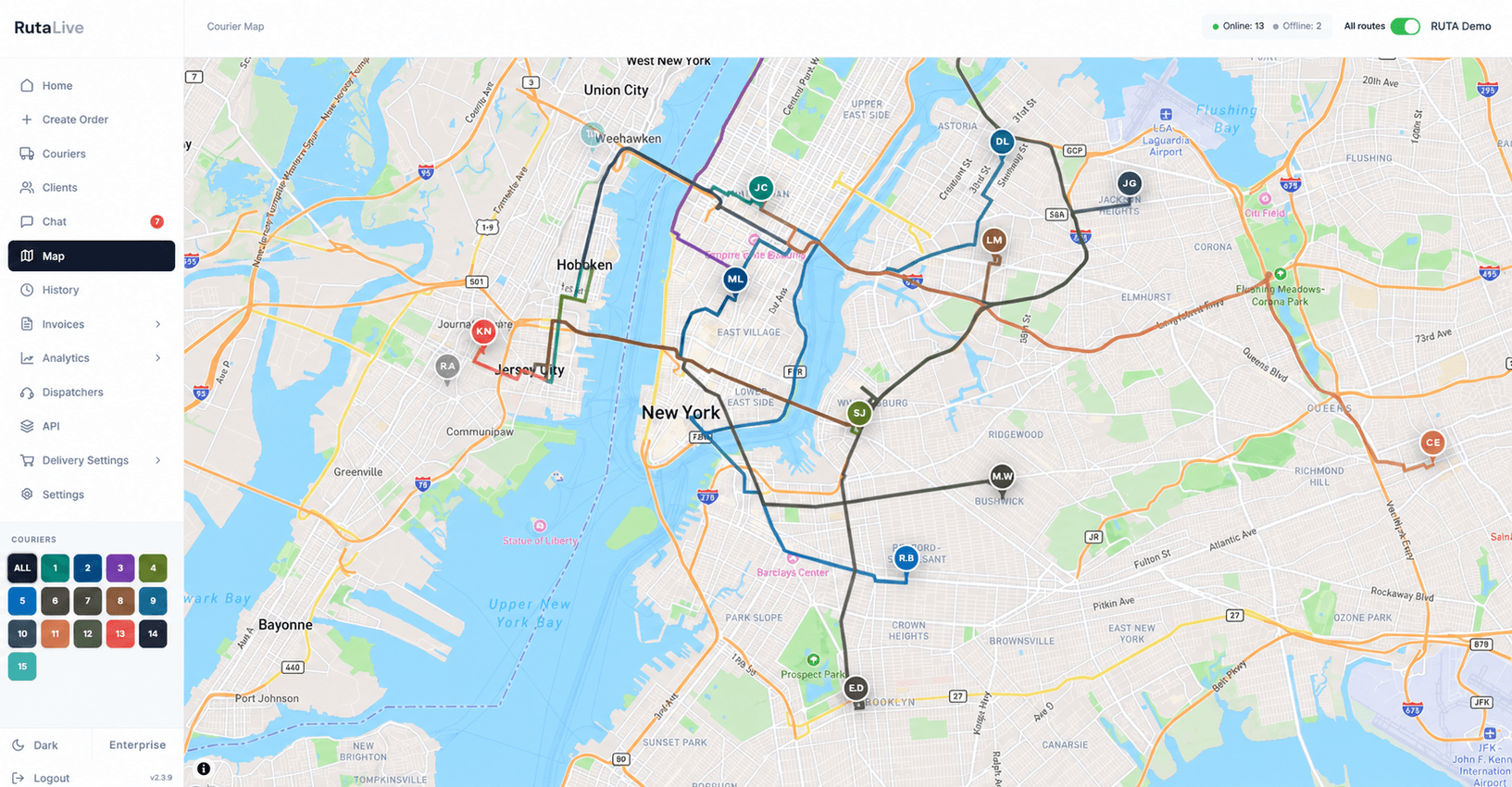
Courier locations update as they drive — no refreshing, no guessing where anyone is.
Each active route is drawn in the courier's own colour, so overlapping trips stay readable.
An online / offline counter up top tells you instantly how much of the fleet is actually working.
Draw your delivery zones on the map
Outline the areas you cover, then set pricing rules per zone. The price is calculated automatically when an order is placed.
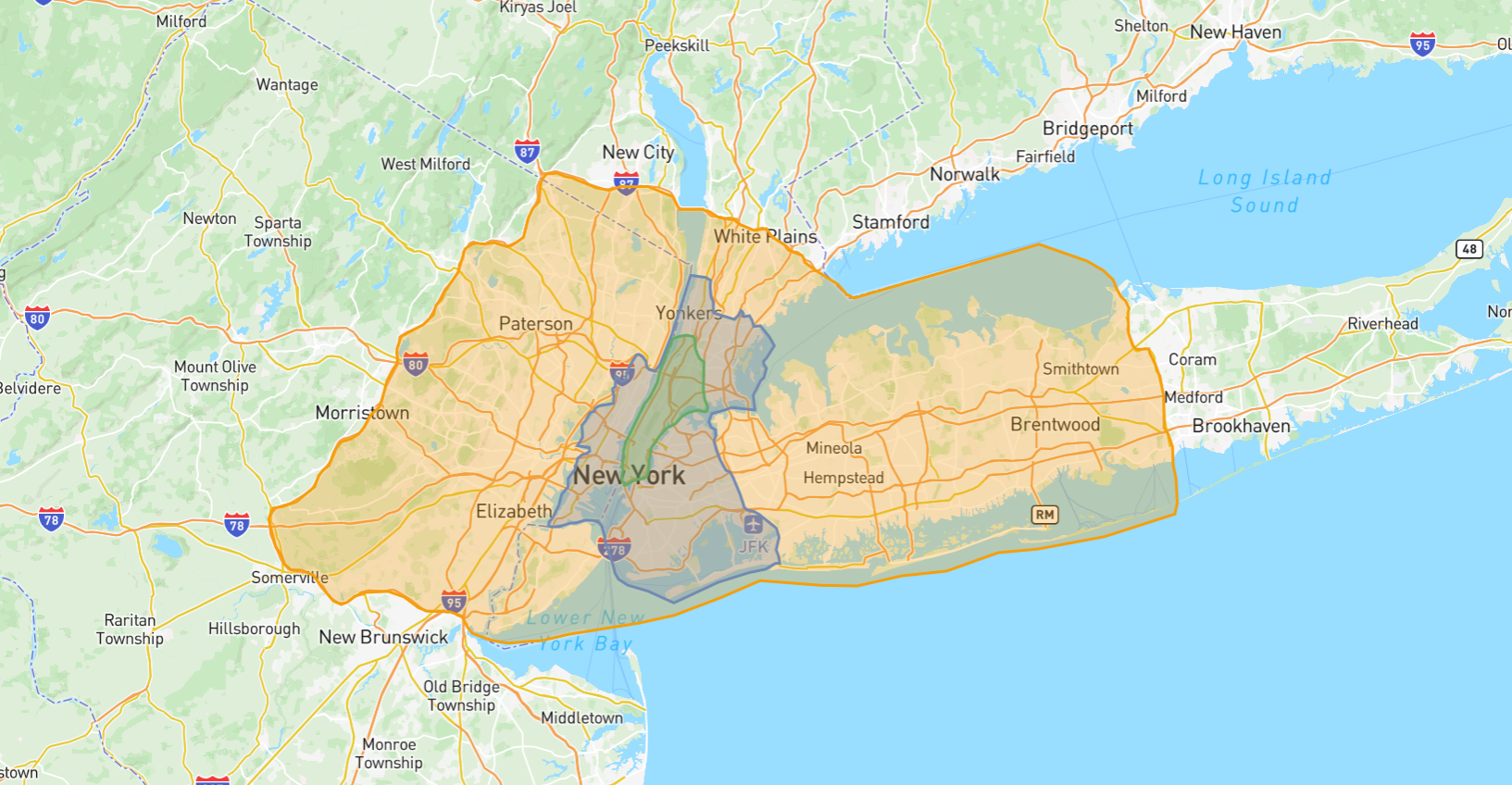
Outline each delivery area directly on the map and adjust the boundaries any time.
Set base prices per zone and package type, with surcharges for express or scheduled delivery.
Orders are priced the moment they're created — no manual quoting between you and the client.
Everything the driver needs, on the road
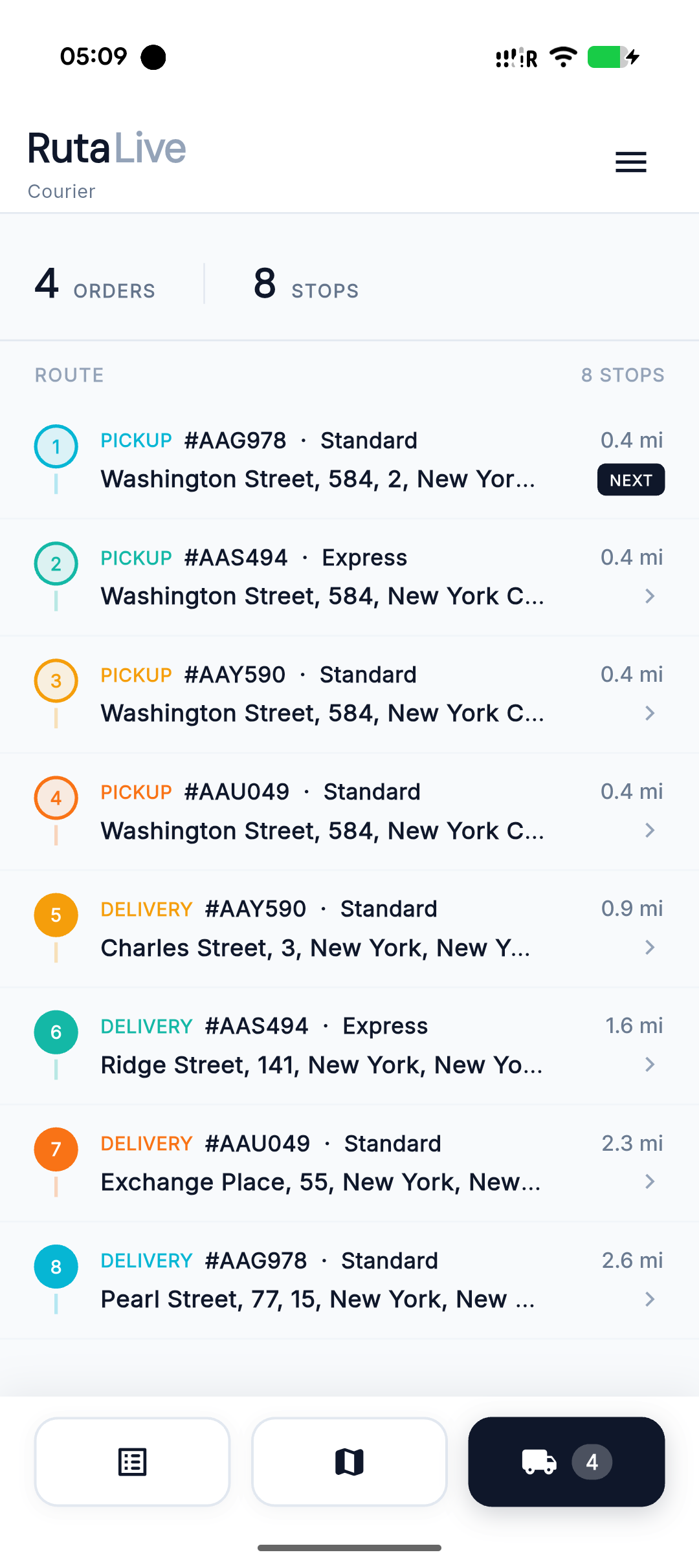
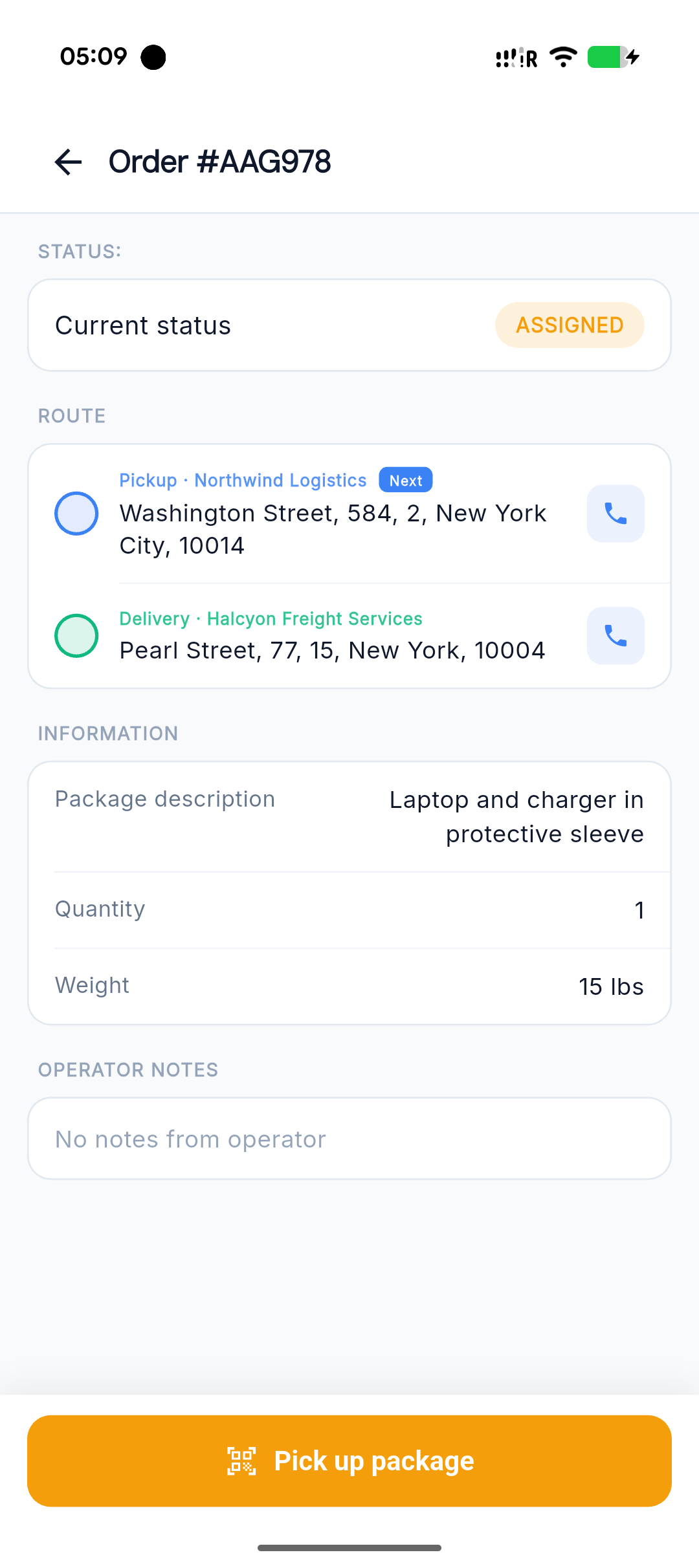
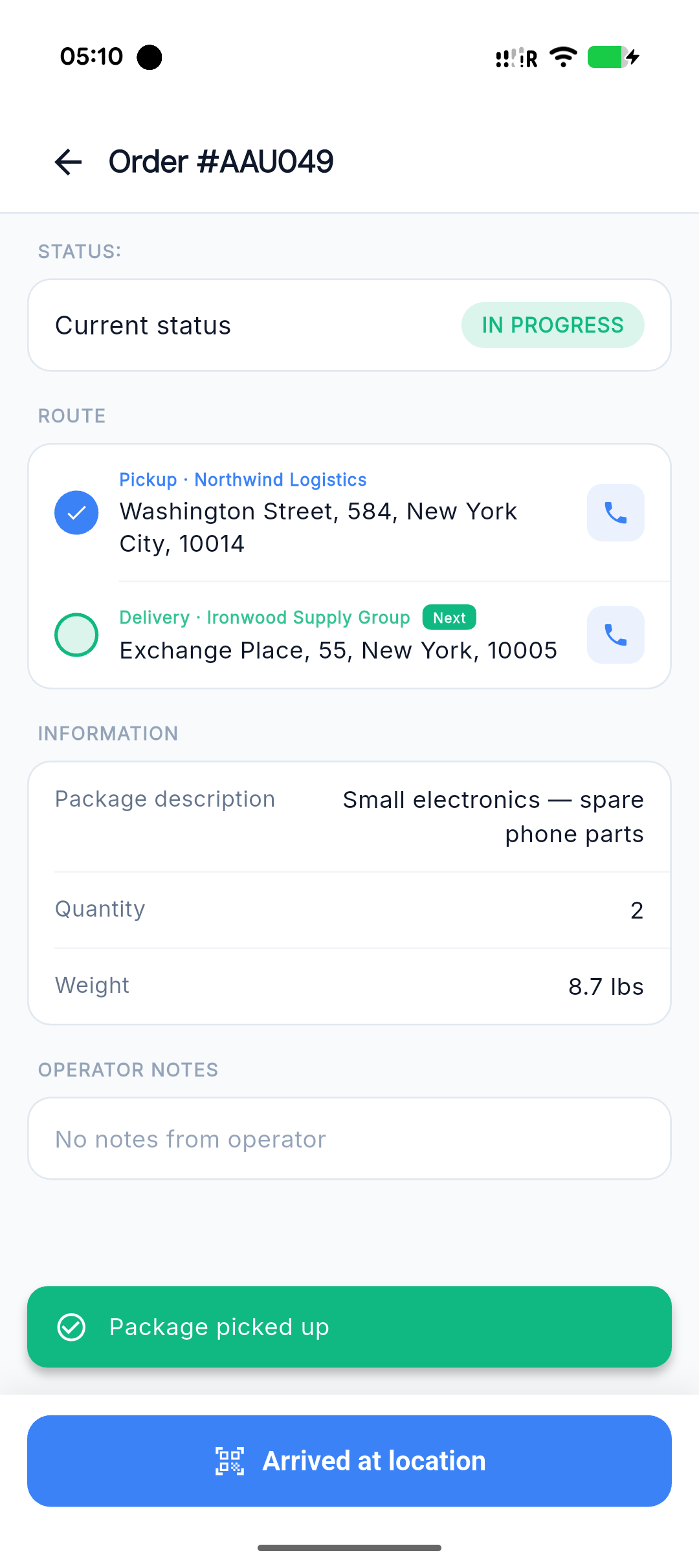
A focused mobile app for couriers — the optimized route, every order detail, and one-tap proof of delivery. Works on iOS and Android.
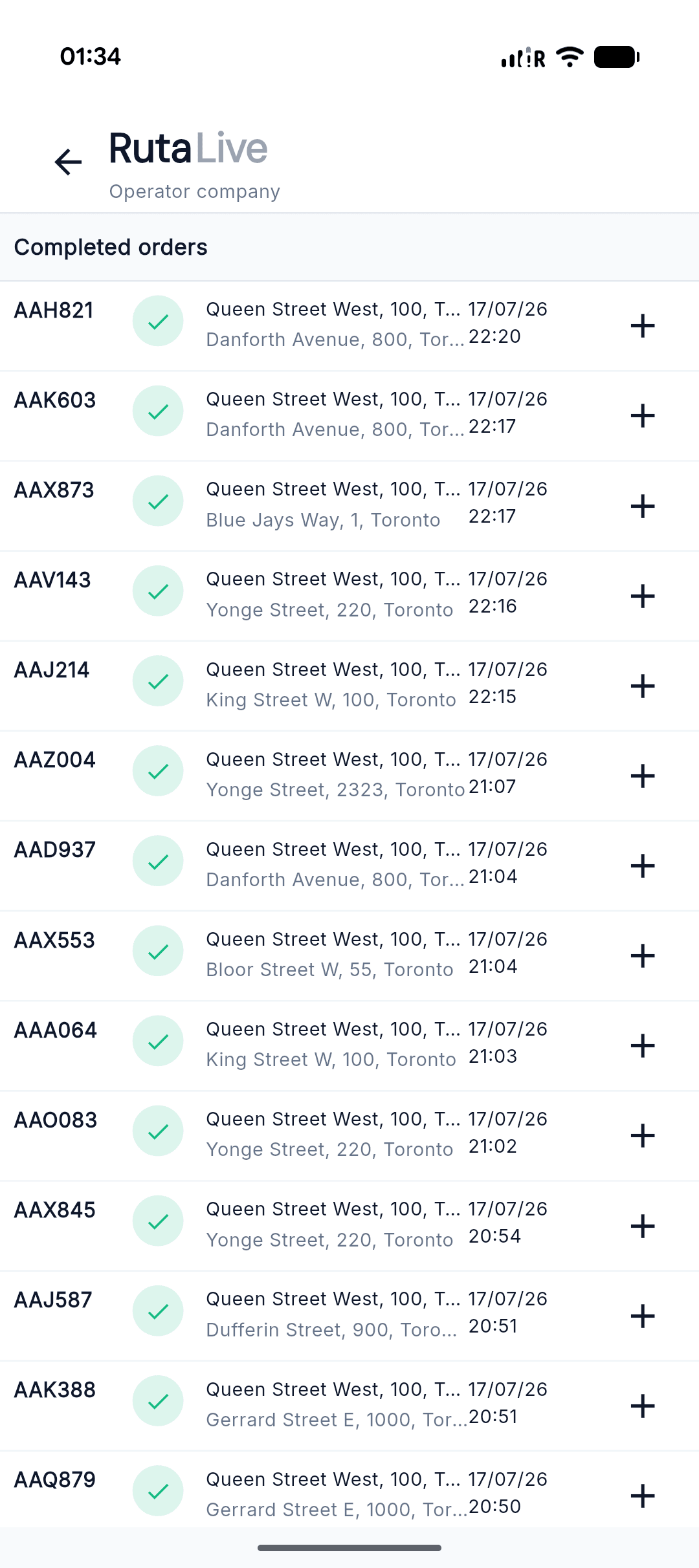
Run dispatch from your pocket
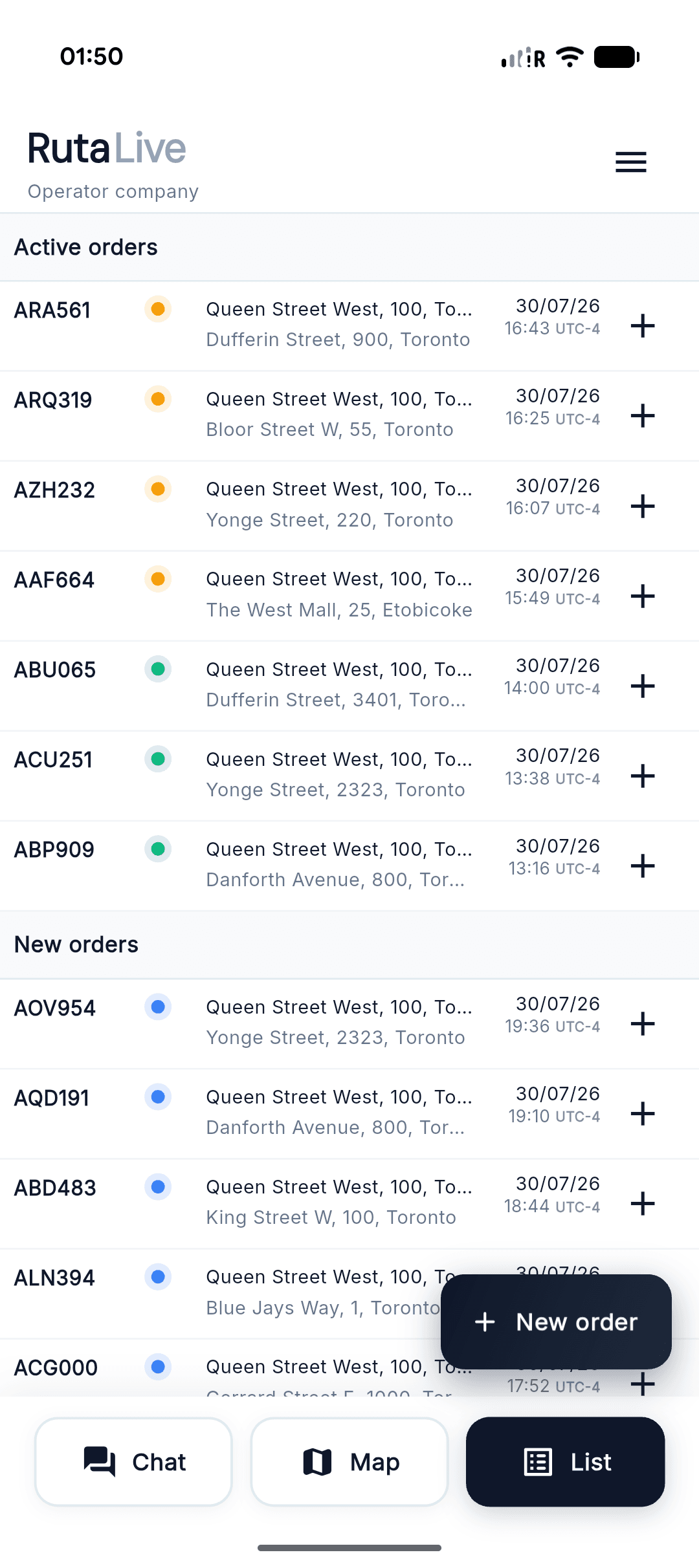
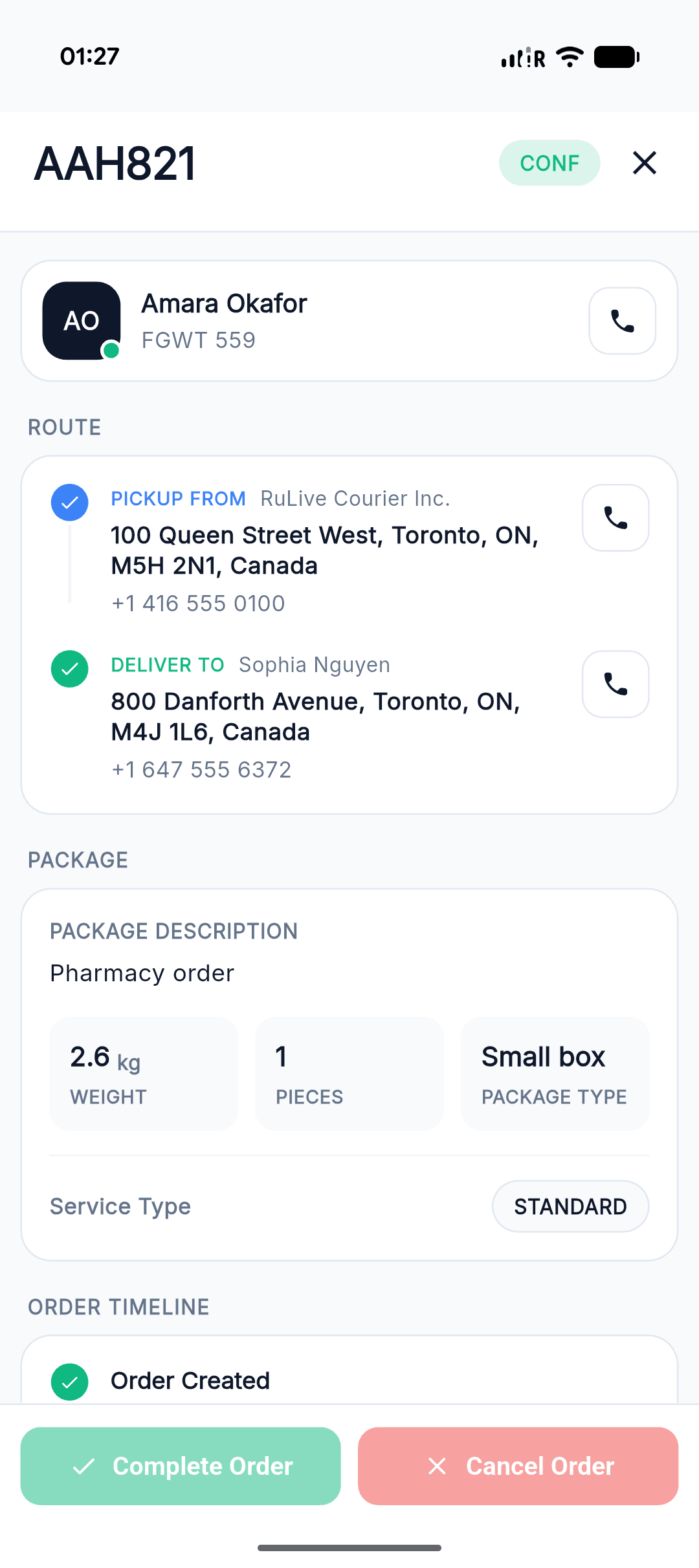
The operator workspace on a phone — live orders, full order cards, and complete history. Dispatch, check on a delivery, or create an order without opening a laptop.
See it running before you sign up
Open the operator demo with live sample data — orders, couriers, and the map already in motion. No account, no card.
More than dispatch
The details that keep deliveries moving and clients coming back.
From order to invoice, in six steps
The real sequence used in production — from creation to completion.
Every order moves through four states
Two ways couriers prioritize tasks
Fully self-managed queue or system-driven optimization for time and distance.
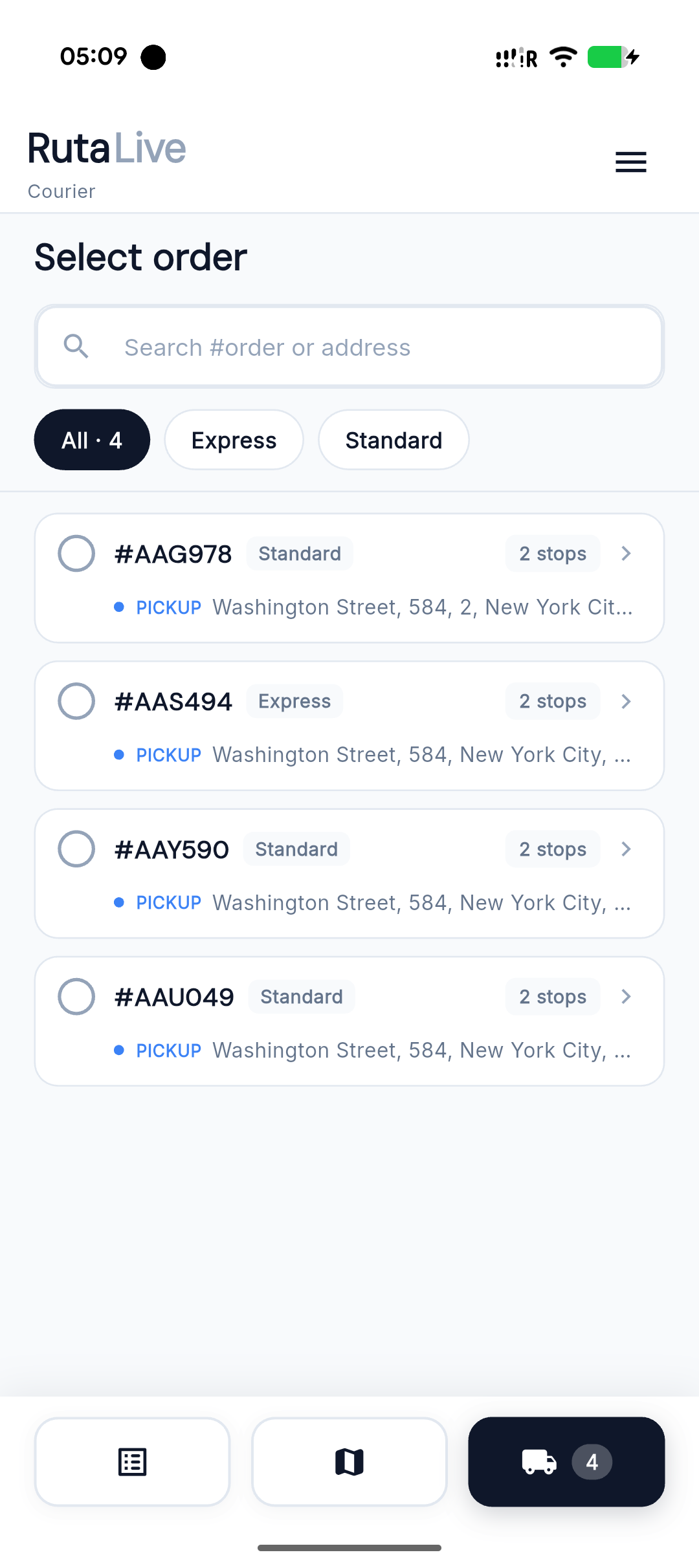
Courier independently picks which order to execute first based on location, urgency, and current workload.
- ·High flexibility in dynamic conditions
- ·Better fit for urgent manual reprioritization
- ·More control for experienced couriers
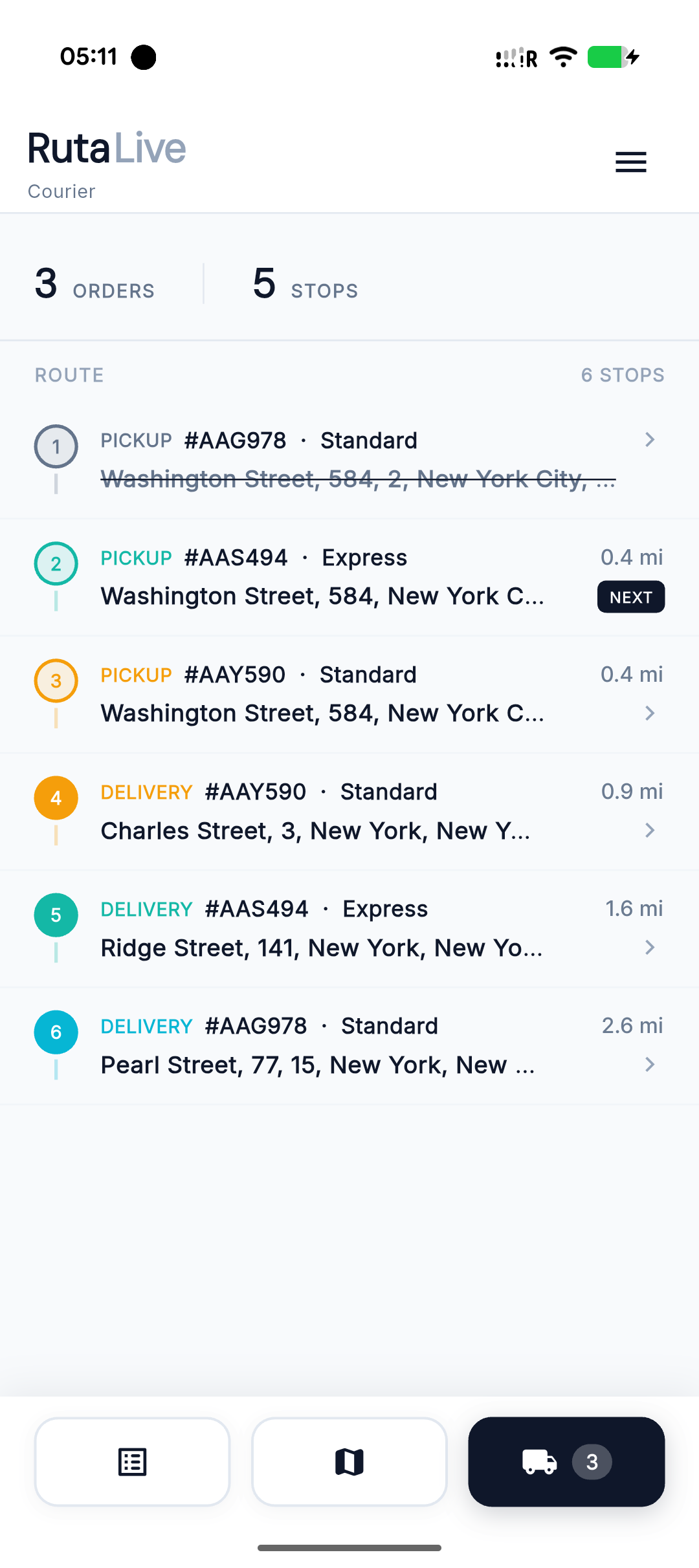
System builds the recommended execution sequence automatically to reduce idle time, route overlap, and delivery delays.
- ·Faster daily execution without manual sorting
- ·Lower idle time and fewer unnecessary kilometers
- ·Stable predictable flow across the team
Same order, four roles
Four roles — operator, courier, client, and dispatcher — each with exactly the access it needs to the same live delivery data.
- Order queue & dispatch
- Status timeline & SLA
- Zones & pricing rules
- Reports & analytics
- Assign orders to couriers
- Adjust courier actions & cancel
- Same operator dashboard, scoped
- Only the permissions granted
- Route & stop details
- Photo / signature POD
- Live location sharing
- Status updates on the go
- Quick order creation
- Live tracking & ETA
- Order history
- Exports & spending reports
Plug your own site straight into RUTA
Operators and their clients generate an API key on the dashboard and connect it to any site — a shop, a marketplace, an internal tool. Orders flow in, live statuses flow back out.